
We’ll get your OpenRouter top-up done.
2min
median to complete
521orders
30 days to Oct 20
Paste the payment link here
Step 1 · Get the payment link
1
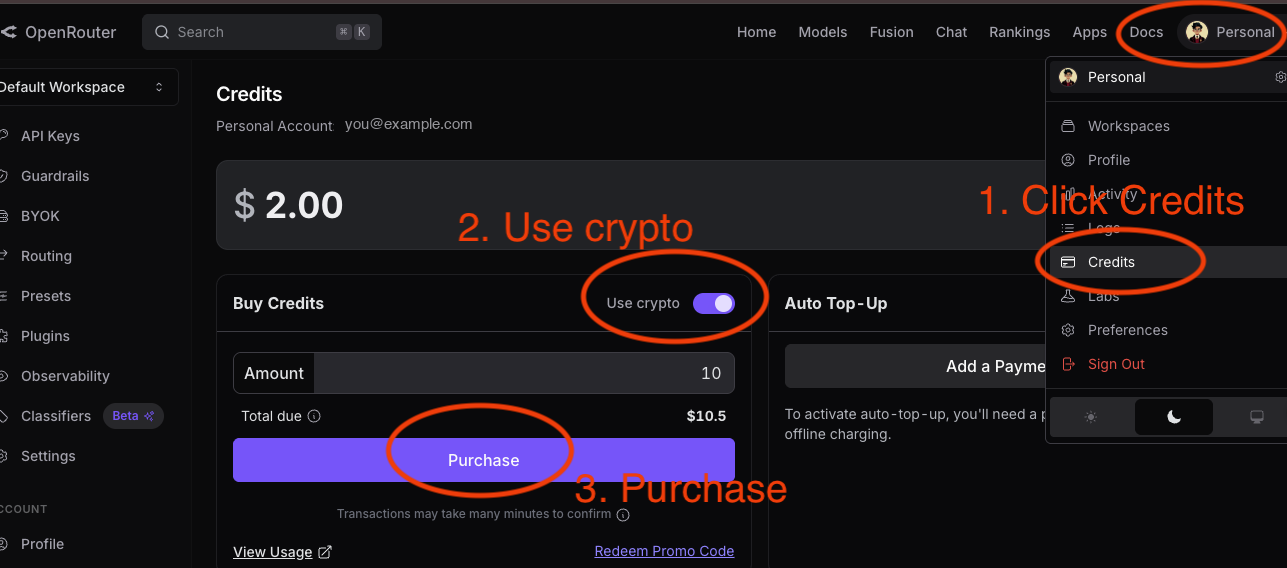
Open OpenRouter → avatar (top right) → Credits (direct link), then choose top up.
2
Turn on the “Use crypto” toggle in Buy Credits.
3
Select Purchase and copy the generated payment link.
Step 2 · Paste the link and confirm the amount
What do I do with the link?
1
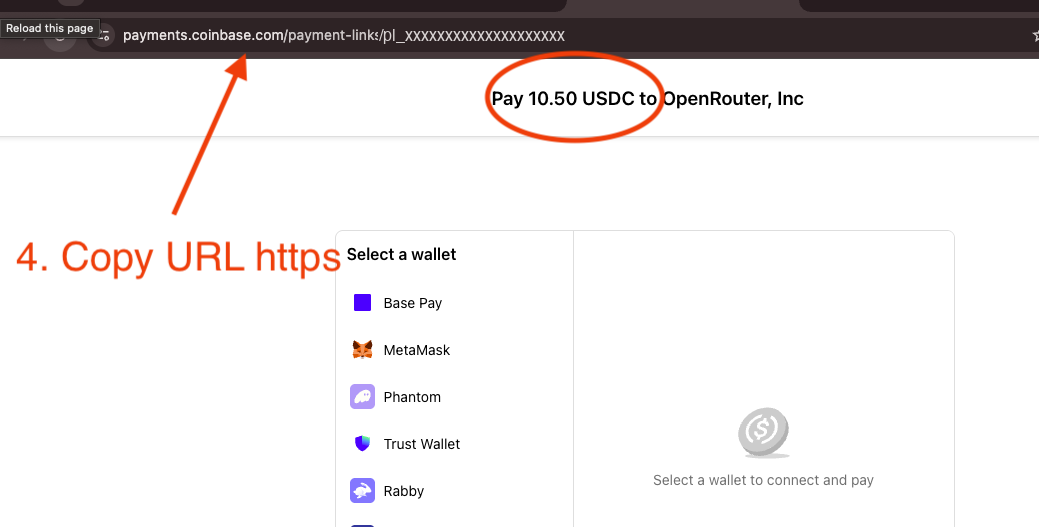
Copy the generated Coinbase payment link (payments.coinbase.com/…).
2
Return here, paste it into the box above, and select “Top up now”.
3
Check the amount (for example, Pay 1.05 USDC to OpenRouter) before confirming.
Video guide
Services you can pay with ROZO
Top-up links from these AI services are supported.